
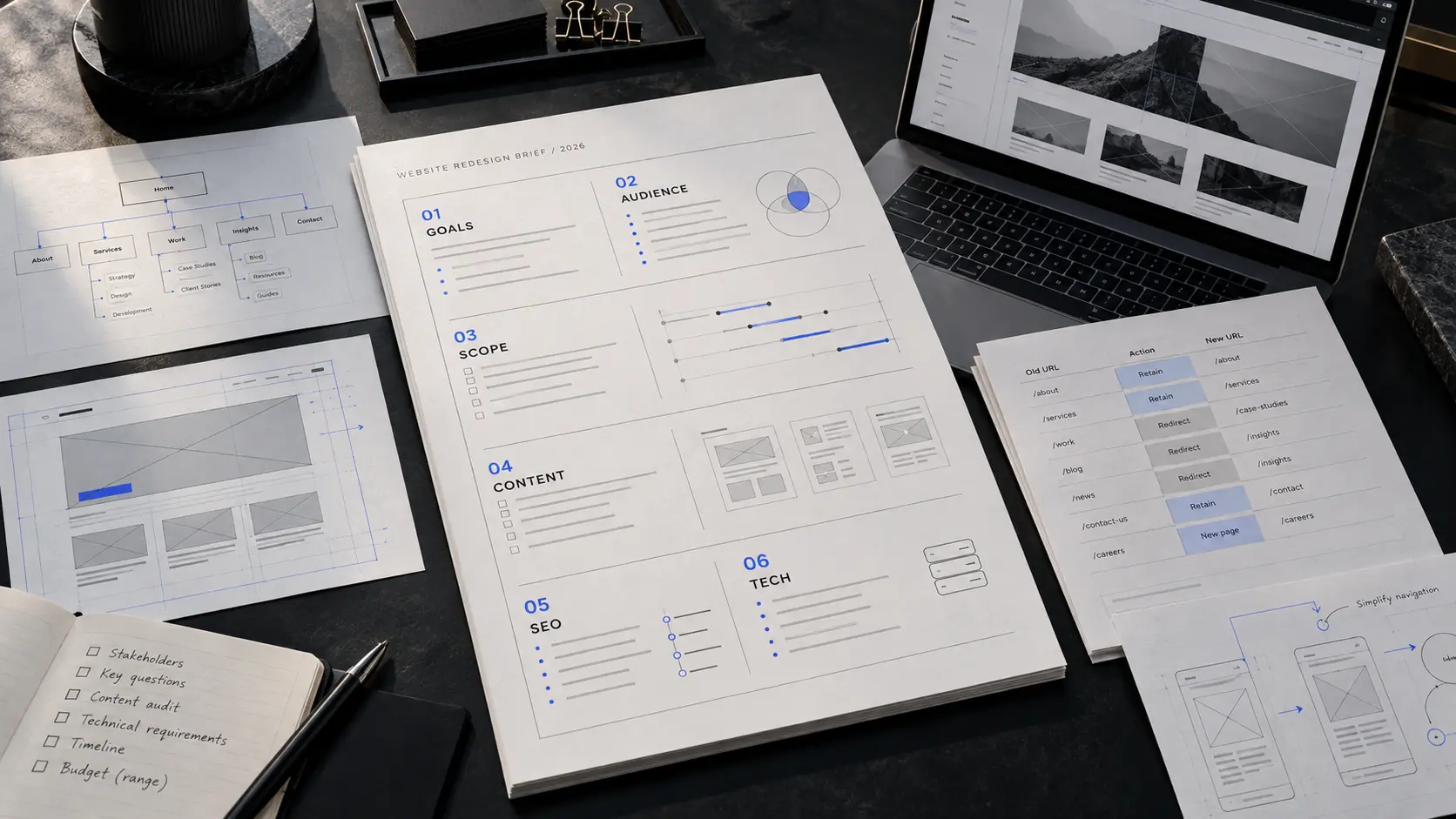
A website redesign can go wrong long before anyone chooses a font, opens Figma or writes a line of code.
The problem is often the brief.
A company decides that its website feels old, difficult to update or no longer representative of the business. It contacts an agency, sends over the existing URL and asks for something more modern. From there, both sides begin making assumptions.
The client assumes the agency understands the business. The agency assumes the existing pages reflect the current offer. Nobody has clearly agreed on what should stay, what should change, which users matter most, how success will be judged or what systems the new website needs to connect with.
That is how a redesign becomes a visual exercise instead of a business project.
A useful website redesign brief does not need to be a polished presentation. It needs to remove ambiguity. It should give the people designing and building the site enough context to make good decisions without forcing them to guess what the business actually needs.
If you are still deciding whether the website needs a full redesign at all, start with our guide on when to redesign your website. If the decision has already been made, this brief is the next step.
Key takeaways
- Start with the business problem, not a preferred visual style.
- Define the audiences and actions the website needs to support.
- Separate pages that need improvement from pages that should be removed or created.
- Document content, SEO and URL requirements before design begins.
- Identify integrations, CMS needs and technical constraints early.
- Give the agency access to real proof, brand material and decision-makers.
- Set budget and timeline expectations without pretending the scope is already fixed.
- Decide how approvals will work before the project enters design.
- Treat launch as a controlled migration, not simply the moment the new homepage goes live.
What a website redesign brief actually does
A redesign brief is a working document that explains the context behind the project.
It tells an agency why the business is changing the website, who the website serves, what the current version is failing to do, what must be preserved and what constraints cannot be ignored.
It is not a list of visual references.
A folder containing five websites you like can help communicate taste, but it does not explain whether your sales team needs better-qualified enquiries, whether customers struggle to understand the service structure, whether the current CMS is painful to use or whether organic traffic depends on URLs that cannot simply disappear during launch.
A good brief gives the project a decision-making framework.
When there is a disagreement later about a page, feature or piece of copy, the team can return to the underlying objective instead of choosing whichever option looks more impressive in isolation.
1. Explain why the redesign is happening now
Start with one question:
Why is this project happening?
Avoid answers such as:
- the site looks dated
- competitors look better
- we want something modern
- management does not like the homepage
Those may be real concerns, but they are symptoms.
Push one level deeper.
Perhaps the company has expanded from one service to five, but the website still presents the business as it existed three years ago.
Perhaps paid traffic is reaching the site, but visitors cannot quickly understand what the company offers or what they should do next.
Perhaps the sales team repeatedly explains information that should already be clear on the website.
Perhaps the existing website cannot support new landing pages without developer involvement.
Perhaps the business now sells to a different customer profile.
Perhaps credibility has become more important because the company is pursuing larger contracts.
Write the reason plainly.
For example:
The business has expanded into larger commercial projects, but the current website still presents us as a small local provider. The redesign needs to clarify the new service structure, strengthen proof and create a clearer route from initial research to enquiry.
That statement is considerably more useful than “make it premium.”
2. Define the people the website needs to serve
Most companies have more than one audience.
A B2B website might need to work for:
- a founder researching potential partners
- a marketing manager comparing agencies
- a procurement team checking credibility
- an existing customer looking for support
- a job candidate researching the company
- a potential partner trying to understand the offer
They do not all need the same information.
The brief should identify the primary audience first. Secondary audiences can follow.
For each important audience, describe the question they arrive with.
For example:
Operations director
Needs to understand:
- what the company does
- whether it works with businesses of a similar size
- what the engagement involves
- whether the team can handle the required complexity
- what the next step is
That is more actionable than writing a fictional persona with a name, age and favourite coffee.
The purpose is not to invent characters. It is to understand what information different visitors need before they can make a decision.
3. State the actions that matter
Every page does not need to push the same call to action.
A visitor discovering the company for the first time may not be ready to “Book a Call” after reading one headline.
A redesign brief should identify the meaningful actions across the journey.
These may include:
- request a quote
- start a project enquiry
- book a consultation
- view relevant work
- compare services
- read a case study
- download a technical document
- contact support
- apply for a position
Then decide which actions matter most.
If the website is supposed to generate enquiries, describe what a useful enquiry looks like.
Ten vague form submissions may be less valuable than three enquiries containing the right project information.
This distinction affects page structure, copy, form fields and calls to action.
If traffic already exists but is not producing enough enquiries, our guide on website traffic without leads covers the diagnostic side in more detail.
4. Audit the current website before replacing it
A redesign should not begin with the assumption that everything needs to be thrown away.
The current site contains evidence.
Some pages may attract search traffic. Some may answer customer questions effectively. A specific service page may already convert well. A resource that looks visually outdated may still be valuable because people link to it.
Create three groups:
Keep
Pages, content or functionality that still serves a clear purpose.
Examples:
- a strong service explanation
- a useful FAQ
- an established article
- a high-performing landing page
- important legal content
Improve
Content that is useful but poorly structured, visually weak or no longer aligned with the business.
Examples:
- a service page with the right information but poor hierarchy
- a homepage with dated positioning
- case studies that need better context
- an enquiry process with unnecessary friction
Remove or consolidate
Pages that duplicate information, describe discontinued services or exist only because the old site architecture grew without a plan.
Do not delete these casually.
If an old URL has search visibility, backlinks or direct traffic, removing it may require a redirect to the most relevant replacement.
This audit gives the new information architecture a reason to exist.
5. Define the new scope in plain language
A redesign brief should contain a provisional page list.
It does not have to be final.
A business website might include:
- Home
- Services overview
- Individual service pages
- Work or case studies
- Individual project pages
- About
- Insights or blog
- Contact
- Privacy and legal pages
Then note anything that needs special behaviour.
For example:
Services Four main service areas. Each should have an individual detail page.
Work Filterable project index with individual case-study pages.
Blog Admin-managed publishing with categories, metadata and article images.
Contact Project enquiry form with service selection and structured project information.
The agency may change the architecture after discovery. That is normal.
The point is to expose the expected scale of the website before a proposal is created.
A six-page marketing site and a 35-page content platform should not enter a project under the same vague label of “website redesign.”
6. Document the offer before asking someone to redesign it
A website cannot make an unclear offer clear by visual design alone.
Before the project begins, write down:
- the main services or products
- who each service is for
- the problem it addresses
- what is included
- what makes the approach different
- what happens after someone enquires
- any important limitations or exclusions
If these answers are still changing, tell the agency.
That may mean the project needs a positioning or content phase before detailed interface design begins.
Do not hide uncertainty because you think a brief should look complete.
Knowing that the offer needs clarification is useful project information.
Pretending it is already solved usually creates rewrites later.
7. Decide who is responsible for content
“Content will be provided” is one of the most expensive ambiguous sentences in a redesign brief.
Specify who will handle:
- page copy
- service descriptions
- case studies
- testimonials
- team information
- photography
- illustration
- video
- downloadable documents
- legal copy
If the agency is writing the website, explain what source material exists.
Can they interview the founder?
Can they speak with the sales team?
Are there old proposals, pitch decks or sales documents that explain the offer better than the current site?
If the business is providing copy, decide when it will be ready.
Designing around placeholder text and replacing it with final copy late in the project often damages hierarchy. A headline that was designed for six words does not necessarily survive when the approved version becomes eighteen.
Content and layout are connected. The brief should treat them that way.
8. List the proof the website can legitimately use
Strong websites reduce uncertainty.
That usually requires evidence.
List the proof available to the project:
- completed projects
- approved client names
- testimonials with permission
- measurable results that can be substantiated
- certifications
- relevant partnerships
- product screenshots
- process documentation
- team experience
- press coverage
- awards that can be verified
Do not add claims simply because they would make the page stronger.
A smaller amount of credible evidence is more useful than a large amount of vague social proof.
If a project cannot publish a client name, explain what can be shown instead.
The design team can then plan the case-study structure around evidence that actually exists.
9. Include technical requirements before design begins
Some technical decisions affect the interface.
Do not wait until development to mention them.
Your brief should identify known requirements such as:
- preferred CMS
- user roles
- forms
- CRM connection
- analytics
- email marketing platform
- booking system
- payment provider
- customer portal
- search
- filtering
- multilingual content
- gated resources
- third-party APIs
- existing database dependencies
- hosting constraints
If a requirement is uncertain, mark it as uncertain.
For example:
We currently use HubSpot for lead management. The new website should send qualified enquiries into the existing pipeline, but the exact field mapping will be confirmed during discovery.
That gives the developer something concrete to investigate without pretending the implementation has already been decided.
10. Describe how the site needs to be managed after launch
A website is not finished when it is deployed.
Someone has to operate it.
Explain what the internal team expects to update.
For example:
- articles
- project case studies
- service copy
- staff profiles
- landing pages
- FAQs
- homepage announcements
Then describe who will make those updates.
A marketing team that publishes three articles per week needs a different editing experience from a company that changes its website twice a year.
This also affects how flexible the CMS should be.
More flexibility is not automatically better.
A highly configurable page builder may create inconsistency if every editor can change every layout. A more structured CMS may be better when the goal is to preserve hierarchy and make publishing simple.
11. Make performance and accessibility explicit
Performance should not be treated as a final optimisation pass.
Neither should accessibility.
The brief can establish expectations such as:
- responsive layouts across common screen sizes
- keyboard-accessible navigation
- visible focus states
- readable contrast
- appropriate form labels and error handling
- reduced-motion behaviour where relevant
- sensible image loading
- compressed media
- minimal unnecessary JavaScript
- stable layout during loading
You do not need to prescribe implementation details.
The agency should decide how those requirements are achieved.
The important part is making it clear that the website is expected to work well, not merely look correct in a desktop mockup.
12. Protect existing SEO before URLs begin changing
SEO migration needs to enter the conversation before the redesign is launched.
Provide the agency with any information you have about:
- pages receiving organic traffic
- important search queries
- backlinks
- existing redirects
- indexed pages
- articles that should remain available
- old campaign URLs
- duplicate or obsolete pages
The redesign team should then create a URL plan.
Where a URL remains relevant, keeping it is often simpler.
Where a page is replaced, map the old address to the most relevant new destination.
Avoid redirecting every removed page to the homepage. That usually provides a poor experience and removes useful context.
The launch checklist should also cover:
- page titles
- meta descriptions
- canonical URLs
- robots directives
- sitemap updates
- internal links
- structured data where appropriate
- image alt text
- 404 handling
A redesign should improve the site without casually discarding the visibility the old version already earned.
13. Describe brand constraints without designing the site yourself
A brief should give creative direction, not pre-design the outcome.
Include:
- approved logo files
- brand guidelines
- typography rules
- colour system
- existing photography
- illustration style
- examples of current marketing material
Then explain what is flexible.
Perhaps the logo must remain unchanged, while the digital typography system can evolve.
Perhaps the brand colours are fixed, but the website currently overuses them.
Perhaps the company wants the new website to feel more established without becoming conservative.
References are useful when you explain what you are responding to.
Instead of:
We want a website like Company X.
Write:
We like how Company X gives each service enough space and keeps the navigation simple. We are not looking to copy its visual style.
That turns inspiration into useful direction.
14. Set budget context early
A budget does not need to lock the project into a fixed feature list.
It gives the agency a constraint.
Without it, proposals can solve entirely different versions of the same problem.
One agency may assume a focused marketing website. Another may include content strategy, custom motion, CMS development, CRM integration and a large migration.
Both proposals can be reasonable and still be impossible to compare.
If you do not have a fixed number, provide a working range and explain what matters most.
For example:
We have a target range, but the priority is getting the service architecture, content and enquiry journey right. Secondary animation ideas can be reduced if they compete with those priorities.
For a broader explanation of what affects website pricing, see how much a business website costs in 2026.
15. Give the timeline a reason
“We need it as soon as possible” is not a timeline.
If there is a real deadline, explain it.
Examples:
- product launch
- conference
- rebrand announcement
- investor presentation
- marketing campaign
- migration away from an expiring platform
Then distinguish between a hard deadline and a preferred date.
This helps the agency plan scope.
If a fixed launch date cannot move, some secondary work may need to move into a later phase instead.
The worst version is discovering halfway through the project that a date everyone considered flexible is actually tied to a public campaign.
16. Define the approval process
Many redesigns slow down because the project has five decision-makers but nobody identified them at the start.
The brief should state:
- who owns the project internally
- who gives final approval
- who needs to review design
- who approves copy
- who approves technical decisions
- whether legal or compliance review is required
Try to separate contributors from final decision-makers.
Feedback becomes difficult when every stakeholder has equal veto power over every detail.
One clear project owner does not mean ignoring other people. It means someone is responsible for consolidating feedback and resolving contradictions.
17. Tell the agency what already exists
A useful handover package might include:
- current sitemap
- analytics access or exported reports
- Search Console data
- brand guidelines
- logo assets
- photography
- content documents
- CRM information
- current hosting details
- CMS access
- existing redirects
- customer research
- sales documents
- previous website audit
- known technical issues
You do not need to organise everything perfectly.
The agency can help structure it.
What matters is making useful information available rather than forcing the discovery process to rediscover facts the company already knows.
What the agency should ask you in return
A strong redesign process is not one-directional.
The agency should challenge vague parts of the brief.
Useful questions include:
- Which customers are most valuable to the business?
- What does a qualified enquiry look like?
- Which services are growing?
- Which pages currently perform well?
- What questions does the sales team answer repeatedly?
- What information makes buyers hesitate?
- Who will manage the site after launch?
- Which integrations are genuinely required at launch?
- What cannot change?
- What would make the redesign unsuccessful even if everyone liked how it looked?
If the conversation jumps directly from “we need a redesign” to colours and animations, important work is being skipped.
A simple one-page website redesign brief
You can begin with this structure:
Project
What website is being redesigned?
Reason
Why is the redesign happening now?
Business objective
What should improve as a result of the project?
Primary audience
Who matters most, and what are they trying to understand or do?
Primary actions
What should visitors be able to do?
Current problems
What specifically is not working today?
Scope
Which pages, sections and major features are expected?
Content
Who is responsible for copy, photography, case studies and other assets?
Proof
What credible evidence can the site use?
Technology
What CMS, integrations or platform constraints are known?
SEO
Which existing URLs, rankings or content assets need protection?
Brand
What must remain consistent, and what can evolve?
Timeline
Is there a real launch deadline?
Budget
What working range or constraint should the agency design around?
Team
Who manages the project and who approves the work?
Success
How will the business know the redesign was worth doing?
That is enough to begin a serious discovery conversation.
It is far more useful than a long document filled with generic adjectives.
Common mistakes in redesign briefs
Starting with visual instructions
Words such as “premium,” “clean,” “modern” and “innovative” can mean almost anything.
Explain what the business needs first. Creative direction becomes easier once the team understands the job the website has to perform.
Treating the old sitemap as permanent
The current navigation may reflect historical company structure rather than user needs.
Use it as evidence, not as a requirement.
Leaving content until the end
Content changes page hierarchy, section length and conversion flow.
It belongs inside the project, not after design.
Hiding the budget
An agency cannot recommend sensible trade-offs without knowing the constraint.
Budget context improves scoping.
Forgetting migration
A redesign is not only the creation of a new website. It is also the controlled replacement of an existing one.
URLs, analytics, forms, integrations and content all need somewhere to go.
Asking for features without explaining the job
“Add an AI chatbot” or “add a calculator” is not a requirement by itself.
Describe the user problem first. The best solution may be simpler than the requested feature.
What success should look like
Avoid making “a better website” the success criterion.
Choose outcomes the website can reasonably influence.
Depending on the business, this might mean:
- visitors understand the offer faster
- more enquiries contain useful project information
- sales teams can send prospects to relevant pages
- important proof is easier to find
- internal teams can publish without developer help
- mobile visitors can complete key actions comfortably
- content can support future campaigns
- search visibility is preserved during migration
Not every outcome needs a dramatic percentage attached to it.
Clear qualitative improvements can still guide design decisions.
The important thing is agreeing on what the site is supposed to improve before the project is evaluated.
Before you send the brief
Read it once and remove anything that exists only because it sounds professional.
Then check whether someone unfamiliar with the company could answer these questions after reading it:
- What does the business need the new website to accomplish?
- Who matters most?
- What is wrong with the current site?
- What needs to be built?
- What information and proof already exist?
- What technical constraints matter?
- What needs to survive the migration?
- Who makes decisions?
- What are the time and budget constraints?
If those answers are clear, the agency can begin asking better questions.
That is the point of the brief.
Choosing a redesign partner
The strongest proposal is not necessarily the one containing the most pages, animations or features.
Look for a team that can explain why it recommends a particular structure.
Ask how it handles:
- discovery
- content
- responsive design
- development
- performance
- accessibility
- SEO migration
- CMS structure
- testing
- launch
The design should connect to the underlying business problem.
The development approach should connect to how the site will actually be maintained.
And the proposal should make clear what is included, what is not included and what still needs to be discovered.
If you are preparing a redesign and want a structured strategy, design and development process, see our Website Design & Development service.
You can also review examples of how we structure different kinds of website work in the EREN LOGIX case study and Dua Nadeem case study.
Frequently asked questions
How long should a website redesign brief be?
There is no ideal page count. A focused two-page document can be more useful than a twenty-page presentation. Include enough information to explain the business context, expected scope, constraints and decision process. Supporting files can sit outside the main brief.
Should I know the exact sitemap before contacting an agency?
No. A provisional page list is useful for estimating scale, but information architecture should remain open to discussion. The agency may recommend combining, removing or adding pages after discovery.
Should I provide a fixed budget?
Provide a realistic range if possible. It helps the agency recommend an appropriate approach and identify trade-offs. A range does not prevent scope from changing after discovery.
Do I need finished copy before the redesign starts?
Not necessarily, but content responsibility should be decided early. If copy is being written during the project, content and design should develop together rather than treating copy as material to paste into finished screens.
Should the redesign keep the same URLs?
Keep useful existing URLs where it makes sense. When URLs need to change, plan redirects deliberately. Search performance, backlinks and existing traffic should be considered before old pages are removed.
What should I send an agency first?
Send the brief, the existing website, available analytics or search data, brand material, examples of important content and any known technical requirements. The agency can request deeper access after the initial conversation.
What is the biggest mistake companies make before a redesign?
Starting with the appearance of the new site before agreeing on the problem it is meant to solve. That usually creates subjective design debates and expensive changes later.
Final thought
The purpose of a redesign brief is not to tell designers how to design.
It is to give them the information required to make responsible decisions.
A clear brief reduces guessing. It exposes unresolved business questions early. It makes proposals easier to compare. It helps content, design, development and SEO work toward the same objective.
Most importantly, it moves the conversation away from “make the website look better” and toward a more useful question:
What does this website need to do better for the business and the people using it?