
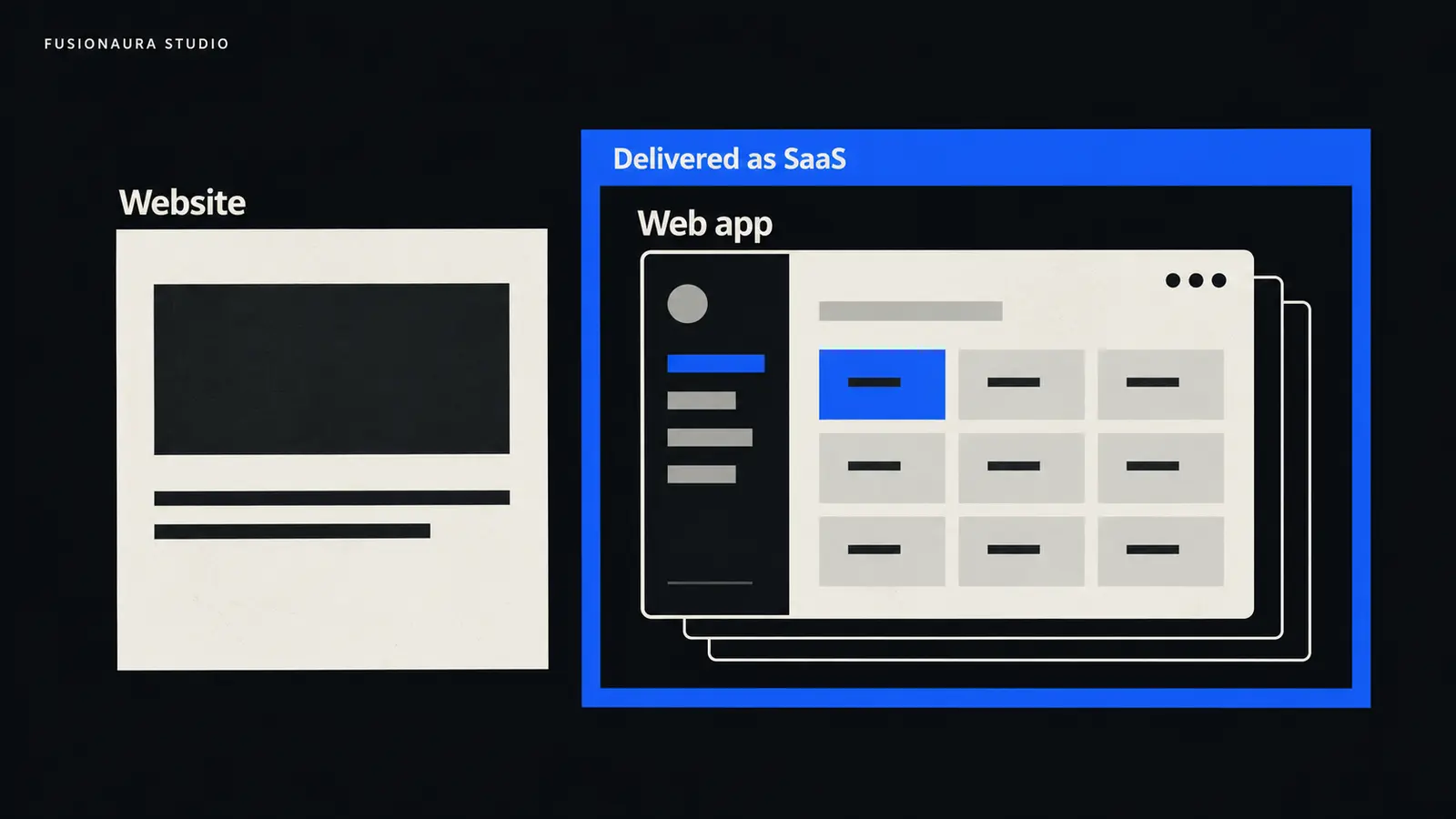
A business website can help someone decide to hire you. A web application can let that person approve a quote, book a resource, or track a job. SaaS describes how you provide software as an ongoing service.
Those distinctions matter because they lead to different investments. Improving your service pages will not fix a broken approval process. Building a custom platform is an expensive way to solve a problem that an existing scheduling tool already handles.
For a business planning its next digital project in 2026, the useful starting point is the job people need to get done. Here is how to translate that job into a sensible build.
The short answer: what should your business build?
Build or improve a website when the priority is helping people discover your business, understand your offer, trust your work, and contact or buy from you.
Build a web application when people need to complete a specific task through software and existing products cannot adequately support the workflow. Think project approvals, resource allocation, or a customer portal connected to your operational systems.
Build a SaaS product when you intend to provide software as a repeatable service to customers and are prepared to operate, support, and improve that service over time.
Many businesses need a combination: a public website, an application for customers or staff, and existing SaaS tools behind the scenes. The decision is about which parts you should own and which parts you can buy.
Website vs. web app vs. SaaS: how the terms actually fit together
A website is a collection of web pages. A web application is software people use through web technologies, usually in a browser. In everyday project discussions, “website” often means the public, content-focused experience, while “web app” means the task-focused software.
That is a useful shorthand, but the boundary is flexible. An online store has product pages people browse and a checkout that processes orders. A company website can contain an interactive calculator. A web application can have public pages that appear in search.
SaaS, or software as a service, answers a different question: how is the software delivered and operated? The provider runs the software and makes it available to customers as a service. Subscriptions are common, but charging monthly is not what makes something SaaS. Usage-based pricing and free tiers can fit the model too.
This follows NIST’s definition of SaaS, which centers on customers using a provider’s cloud applications without managing the underlying infrastructure. A SaaS product may have browser, mobile, desktop, or API interfaces.
A custom web app built for your own team is therefore not automatically a SaaS product. And a SaaS product usually needs a website to explain and market it. You can have both without choosing between them.
These labels do not prescribe a technology stack. A web app does not have to use React, and a website does not have to be static. Choose implementation tools after the workflow, content, and operating requirements are clear.
| Planning question | Business website | Custom web app | SaaS product you operate |
|---|---|---|---|
| Primary purpose | Explain an offer and help visitors take the next step. | Help users complete a particular workflow. | Provide ongoing software value to customers. |
| Typical example | A contractor’s service pages, project gallery, and quote request form. | A portal where customers approve quotes and staff schedule jobs. | Job-management software offered to many contracting businesses. |
| Main planning work | Content, positioning, navigation, accessibility, and conversion paths. | Workflow rules, data, permissions, integrations, and exception handling. | The application plus customer setup, account separation, support, and service operations. |
| Useful success measure | Qualified inquiries, purchases, or completed bookings. | Task completion, fewer errors, or less administrative work. | Customers reaching value, continuing to use the product, and staying. |
| Ongoing responsibility | Keep content, forms, software, and integrations working. | Maintain the workflow, protect data, and support users. | Keep the service reliable across customers while managing product and support costs. |
The SaaS column adds a delivery and operating model to software. It does not describe a separate programming technology or a compulsory next stage after a web app.
When a website is the right investment
If prospective customers cannot tell what you do, whether you serve them, or why they should trust you, start there. A well-structured website can address those problems directly.
A specialist consulting firm might need clearer service pages, credible project examples, and a straightforward way to request a consultation. A local contractor might need service-area information, recent work, and a quote form that reaches the right person. Neither needs a custom customer account system simply to look established.
Interactive features do not automatically justify custom application development. Calendly supports embedding scheduling on a website, for example. The business can offer online booking while an existing service handles availability and scheduling.
Likewise, a retailer can run an online store on an established commerce platform. Selling physical products through a website does not turn the retailer into a SaaS company.
For this kind of project, invest in the customer journey: the offer, supporting evidence, mobile usability, content management, and what happens after an inquiry arrives. Our Website Design & Development service covers those connected decisions.
If the current site already does most of that well, a focused improvement may be enough. The guide to when to redesign your website can help distinguish a small fix from a broader rebuild.
When you need a web application
A web app becomes useful when the problem involves people, records, rules, and actions that need to stay connected.
Consider a distributor whose customers request quotes by email. Staff check stock in one system, negotiate prices in another, and keep approvals in a shared spreadsheet. If customers repeatedly receive conflicting information, a better contact form will only feed more requests into the same process.
A web application could connect the quote to current stock, record the agreed price, require approval above a set discount, and show the customer a clear status. That is a workflow improvement. The dashboard is only its interface.
Before commissioning it, map one real transaction from start to finish. Identify who creates the record, who can change it, where the authoritative data lives, and what happens when something goes wrong. An order that is canceled after approval may reveal more about the scope than the ideal ordering journey does.
User accounts are common in web apps, but they are not a defining requirement. A public mortgage calculator or route planner can perform useful software tasks without a login. Conversely, adding a login to a content website does not tell you how complex its underlying workflows are.
Custom development makes sense when important rules or integrations exceed what suitable existing tools can reasonably handle. Our Web Applications & SaaS service starts with those requirements because they determine the scope far more reliably than a list of screens.
When building a SaaS product makes sense
Providing SaaS means taking responsibility for software that customers depend on. You are making a product decision and an operating commitment.
Suppose you build a scheduling application for your own training company. It handles your rooms, instructors, and cancellation rules. That can be a successful internal web app.
Offering it to other training companies changes the requirements. Each company needs its own setup, users, data boundaries, and settings. Someone must handle onboarding, support requests, service failures, and changes that affect existing customers.
“Tenancy” is the technical term for how customer organizations are accommodated within a service. Their information must remain appropriately separated. This does not require every customer to share one database: AWS describes both shared and dedicated resources in SaaS architectures. The architecture should follow the product’s requirements.
Billing also brings work beyond a payment page. For subscription products, your software needs a policy for failed payments, plan changes, cancellations, and access. Stripe’s subscription documentation shows why payment events and application access need to stay coordinated.
Before funding a broad platform, establish that customers outside your own company have a sufficiently similar problem. Test whether they can use a common workflow and whether they will keep using it after the initial demonstration. A collection of unrelated custom projects can be a viable services business, but it is a difficult foundation for a repeatable software product.
A useful first release can serve a narrow customer group with one valuable workflow. It still needs dependable data handling, account boundaries, recovery, and support. Small scope should reduce features, not remove the safeguards the workflow depends on.
Buy, build, or combine? Test the workflow before choosing
Before paying to recreate standard scheduling, invoicing, or customer-management functions, test existing products against your actual requirements. Buying SaaS and building a SaaS business are very different decisions.
Use a real example during the trial. Import a representative record, assign the right permissions, complete the normal task, and then try an exception: a refund, a rejected approval, a duplicate submission, or a departing employee.
Check what it takes to connect your other systems and export your information. An attractive subscription price can lose its appeal if employees still spend hours moving data between tools or cannot retrieve usable records when they leave.
| Approach | Good fit | What to examine |
|---|---|---|
| Buy existing SaaS | The workflow is common and a product handles the important rules. | Permissions, integration limits, data export, adoption, and recurring fees. |
| Build custom software | A valuable workflow has specific requirements that available products cannot adequately support. | Development and maintenance capacity, ownership terms, support, and recovery. |
| Combine both | Standard tools cover most needs, with a specific gap between them. | Which system owns each record and who maintains connections when either system changes. |
For example, a training business might keep its public website, use an established booking service, and build a small integration that sends confirmed bookings into its operations system. That can be a more useful investment than replacing everything.
What actually drives cost and timeline?
The label on a proposal tells you surprisingly little. A multilingual website with substantial content migration can require more work than a narrow internal app. A SaaS prototype can be quick to demonstrate while the dependable service behind it takes much longer to prepare.
For websites, major cost drivers include content production, design requirements, migration, accessibility, commerce, and integrations. Our guide to business website costs in 2026 looks more closely at that scope.
For applications, examine the number of user roles, business rules, integrations, records to migrate, and failure scenarios. Ask whether a quoted “integration” includes authentication, retries, duplicate prevention, monitoring, and a way to reconcile failed transfers. Those details affect whether people can rely on it.
For SaaS, add the work of serving customers consistently: account setup, customer separation, usage limits where relevant, billing, support, and safe updates. More customers can increase both revenue and operating demands.
Compare options over a realistic operating period. A useful planning model is:
Total cost = initial build or setup + subscriptions and infrastructure + maintenance and support + internal operating time + eventual migration.
Then compare that with the problem’s measured cost. As an illustration, if a task consumes 10 staff hours each week, that is 520 hours over 52 weeks. Measure how much a proposed solution would actually remove; saved time has value only if people adopt the tool and the business can use the capacity.
Request estimates against the same written scope, with assumptions and exclusions. A precise price attached to a vague feature list offers little protection.
What changes in 2026, and what still needs careful work?
AI-assisted development and no-code tools give owners more ways to explore a concept. Use a prototype to learn whether the workflow makes sense before committing to a full build.
A convincing demonstration does not establish that the system handles permissions, incorrect data, interrupted requests, or recovery. For applications that people will depend on, ask the team to demonstrate those conditions as well as the successful journey.
Test the actual task on a phone and with a keyboard, too. A dashboard can fit a small screen while its forms, tables, and approval steps remain difficult to use. Confirm who handles support and ask to see a backup restored before treating recovery as solved.
The OWASP Top 10 remains a useful reference for common web application security risks. Ask how access controls are tested, dependencies are maintained, and failures are detected. A website with forms or a CMS needs security work too.
AI features deserve their own business case. If a task follows clear rules, ordinary automation may be easier to validate and maintain. If it involves interpreting unstructured information, define how uncertain results are reviewed. Our guide to AI agents for business explores that decision.
Write a one-page brief before asking for proposals
You do not need to choose a framework before speaking with a development team. You do need a shared description of the problem. Put these five things on one page:
- Outcome: the specific improvement you need, such as reducing quote approval time.
- Users and workflow: who does what, including the main exception or failure.
- Current systems: where the data lives and which tools must connect.
- First-release boundary: the smallest complete workflow worth launching, plus what can wait.
- Operating owner and evidence of success: who maintains the system and how you will judge whether it helps.
For a SaaS idea, add the target customer, how you will reach them, why they would switch, and what support you can sustain. For a website project, add the essential content, proof, and customer actions. Our website redesign brief guide offers a more detailed starting point for that route.
The best next build is the one that resolves a worthwhile problem at a level of complexity you can sustain. If you would like help defining that scope, tell FusionAura Studio about the workflow, users, and outcome you have in mind.
Frequently asked questions
Can one business have a website, a web app, and a SaaS product?
Yes. A software company might have a public marketing website, a browser application, and a SaaS model for providing that application to customers. A service business can also combine its own website and custom portal with SaaS tools it buys.
Does adding subscriptions make my website SaaS?
No. A subscription to articles, a physical delivery, or a membership is a payment arrangement. SaaS means providing software functionality as an ongoing service. The payment schedule alone does not determine the category.
Should I build a website before a web application?
Build what the immediate goal requires. An internal operations tool may need no public marketing website. A new SaaS idea may benefit from a simple website to explain the offer while you test demand and prototype the core workflow.
Can a web application appear in Google search?
Its public pages can be eligible if search engines can access and understand them. Private account pages should stay protected. Google’s JavaScript SEO guidance explains crawling and rendering considerations. Being a web app does not automatically prevent indexing or guarantee visibility.
Is custom software better than buying SaaS?
It depends on the workflow and the cost of owning it. Existing SaaS is often a practical choice for standard needs. Custom software is worth considering when important requirements remain unmet and their value justifies ongoing development, maintenance, and support.
Can we turn our internal web app into SaaS later?
Possibly, but treat it as a product expansion. Review which assumptions are specific to your company, how customer data and permissions will be separated, and what onboarding and support require. Early planning can preserve options without paying to build the entire future product now.